
 Nico Jeannen
TL;DR: If Meta's Ads MCP answers is_ads_mcp_enabled: false, your setup is fine. Meta is turning its MCP on one ad account at a time, and yours isn't on the list yet. There's no setting to change, and it can take months. If you want to manage your ads from Claude without waiting, you can connect Meta Ads to Claude through AdKit today.
You connected Meta's Ads MCP to Claude, logged in with Facebook, and everything looked fine. Then you asked about your campaigns and got back is_ads_mcp_enabled: false.
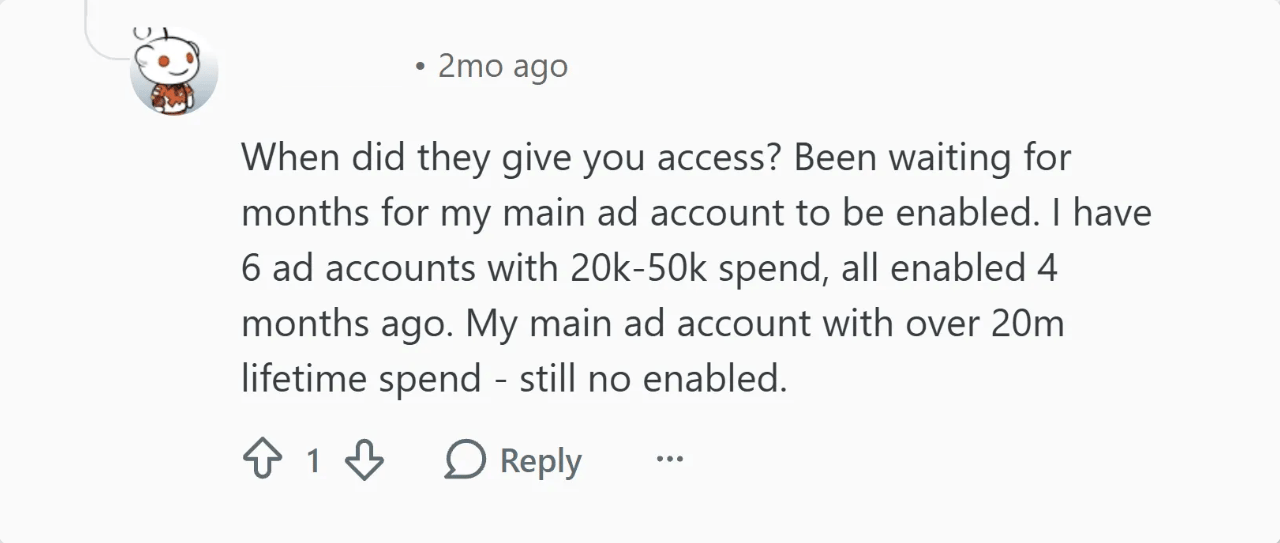
You're not the only one. Even advertisers with millions in ad spend are still waiting: one advertiser on Reddit has six accounts enabled, but his main one still says false months later.
There's nothing you can do on your side, but there's still a way to connect Meta Ads to Claude today (more on that below).
What "is_ads_mcp_enabled: false" means
It means Meta's Ads MCP isn't enabled for that ad account yet. Meta launched its MCP in open beta in April 2026 and is rolling it out slowly, one ad account at a time. So your login, your permissions and your setup can all be right, and the account still isn't on the list.
To see which of your accounts are on, ask Claude to list your ad accounts. Each one shows true or false next to is_ads_mcp_enabled.
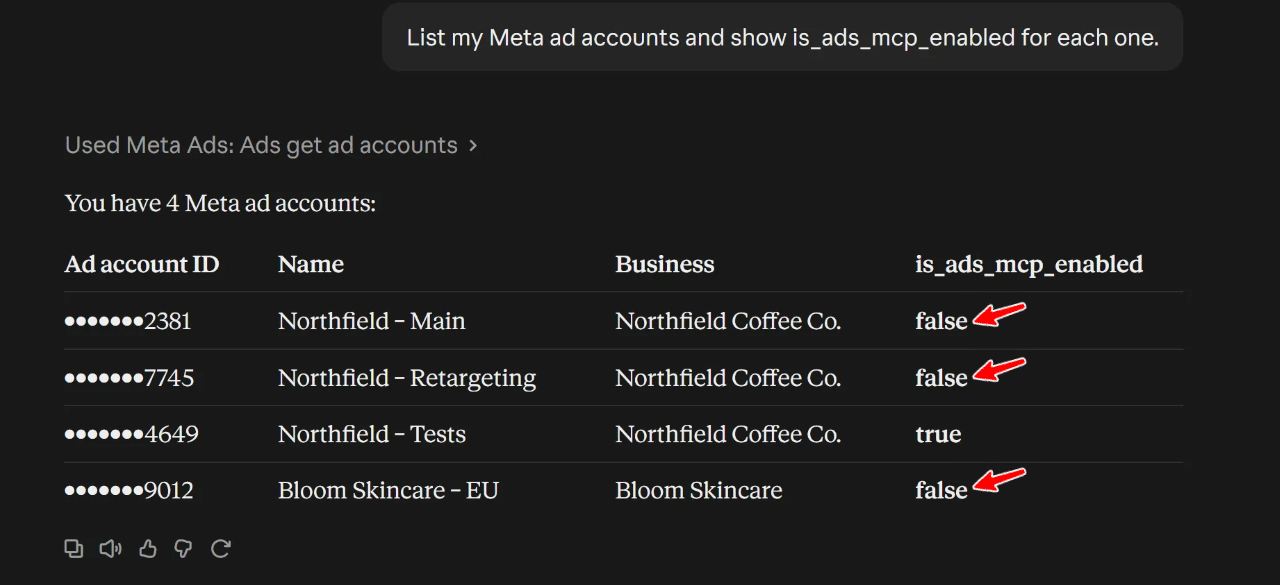
Meta can also show it as a message: "Ads MCP is gradually being rolled out. Please check back at a later date to use Ads MCP with this Ad Account." Same cause.
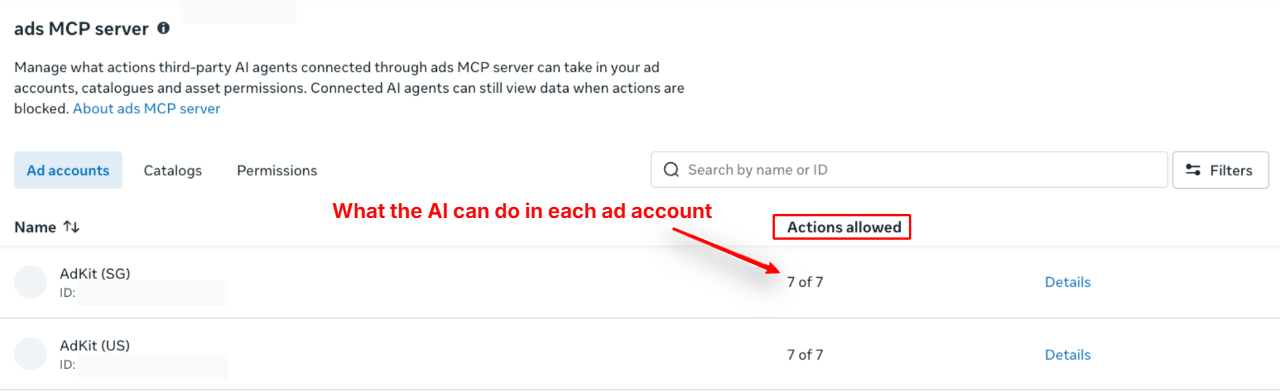
In Meta, you can also see the ad accounts connected to the MCP: in your business portfolio, open Settings, then Integrations, then ads MCP server. It lists each ad account and how many actions the AI is allowed to take in it.
If you're still setting up Meta's MCP, follow our setup guide.
Can you fix it yourself?
Not really. You can wait, but it might take a while: some advertisers have been waiting for six months, and Meta gives no date.
Meanwhile, other advertisers already run their audits and fixes from Claude.
But you don't have to wait. Third-party tools approved by Meta, like AdKit, connect through Meta's regular Marketing API, not through its Ads MCP, so this error doesn't block them.
How to skip the wait with AdKit
AdKit doesn't go through Meta's Ads MCP, so is_ads_mcp_enabled doesn't apply to it: it works on ad accounts that still say false.
What you need:
- A Meta ad account
- An AdKit account (create one here)
- An AI assistant (in this example we use Claude)
Step 1: Connect Claude to Meta Ads
Open the AdKit listing in Claude's connector directory and click the button to add it (it says Sign in to add if you're not signed in to Claude). Then approve the connection and sign in to AdKit.
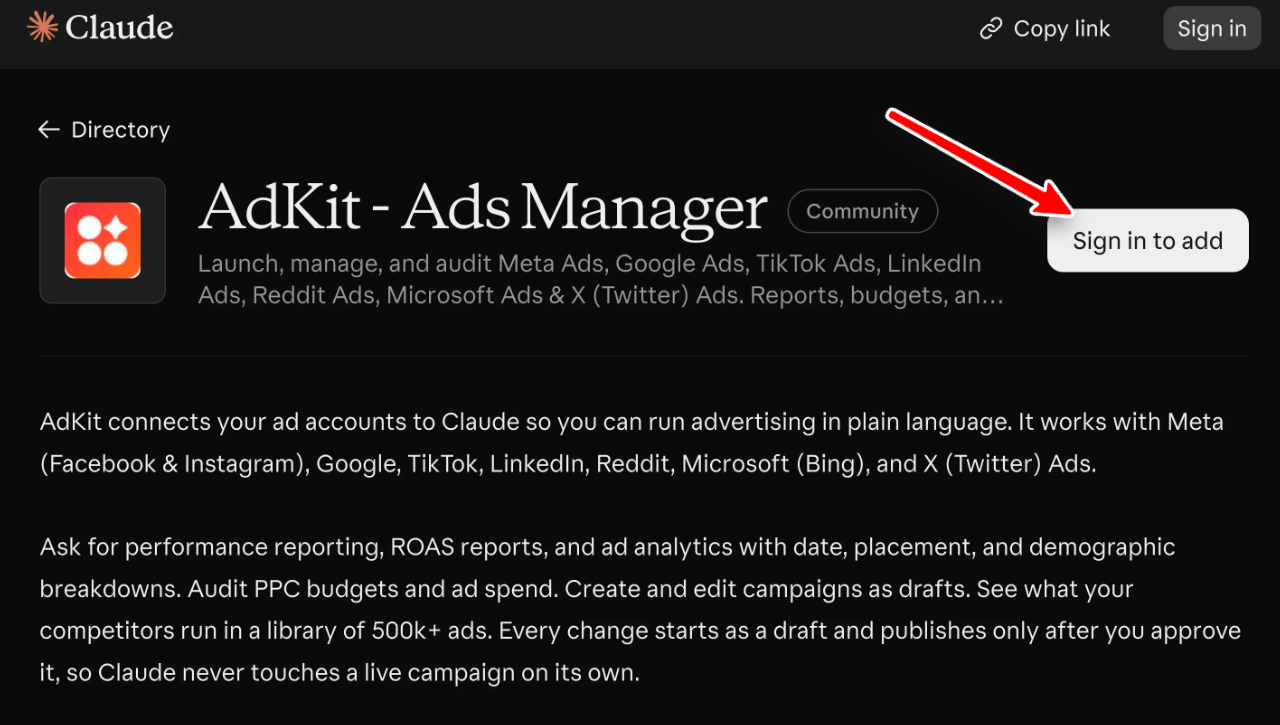
AdKit now shows up in your connectors. Claude can't see your campaigns yet: that's the next step.
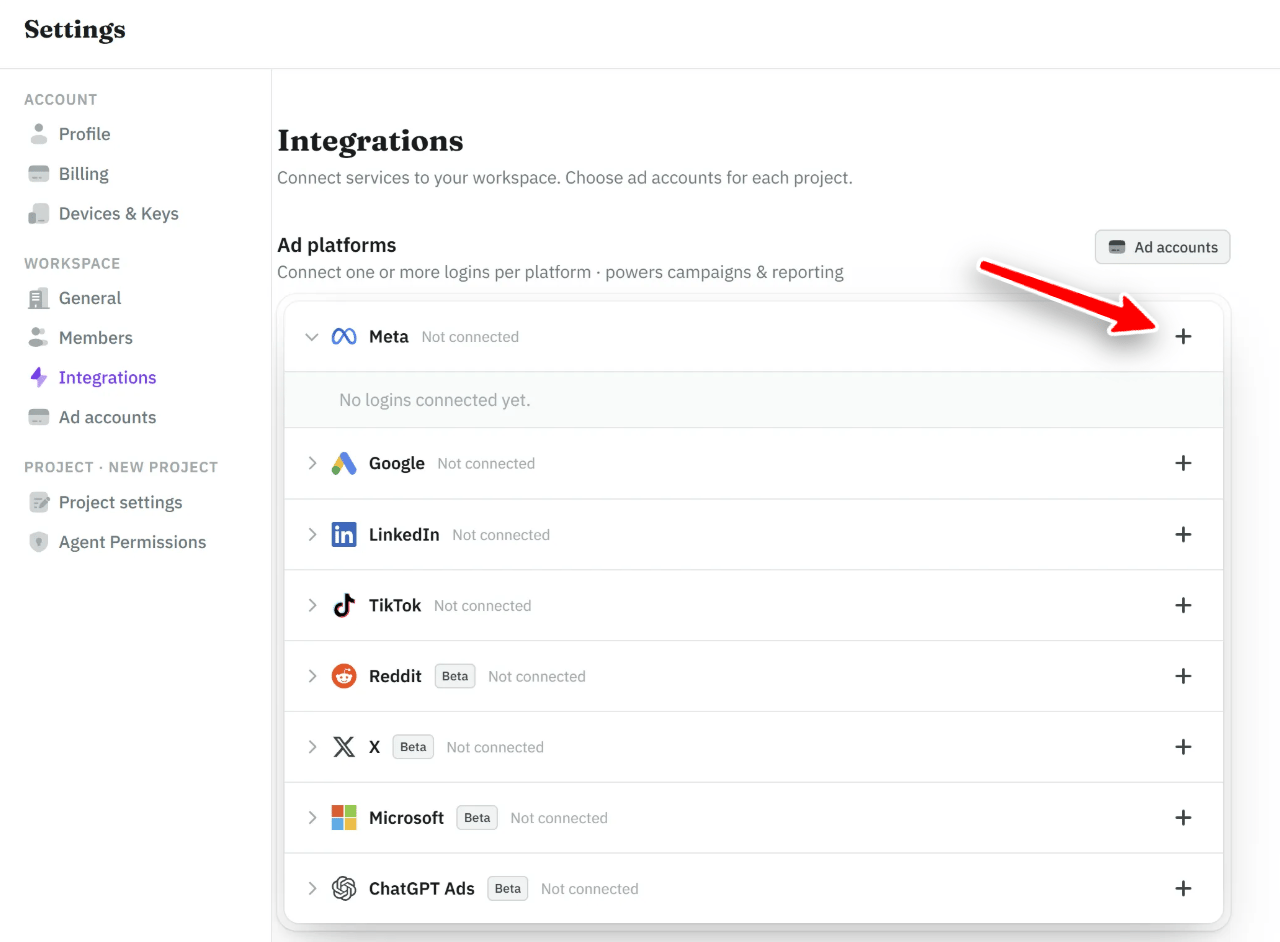
Step 2: Connect Meta to AdKit
Start by giving AdKit access to your Meta account, so it can read and change your campaigns for you.
- In AdKit, open Settings, then Integrations.
- Click + next to Meta.
- Log in with Facebook and approve the access.
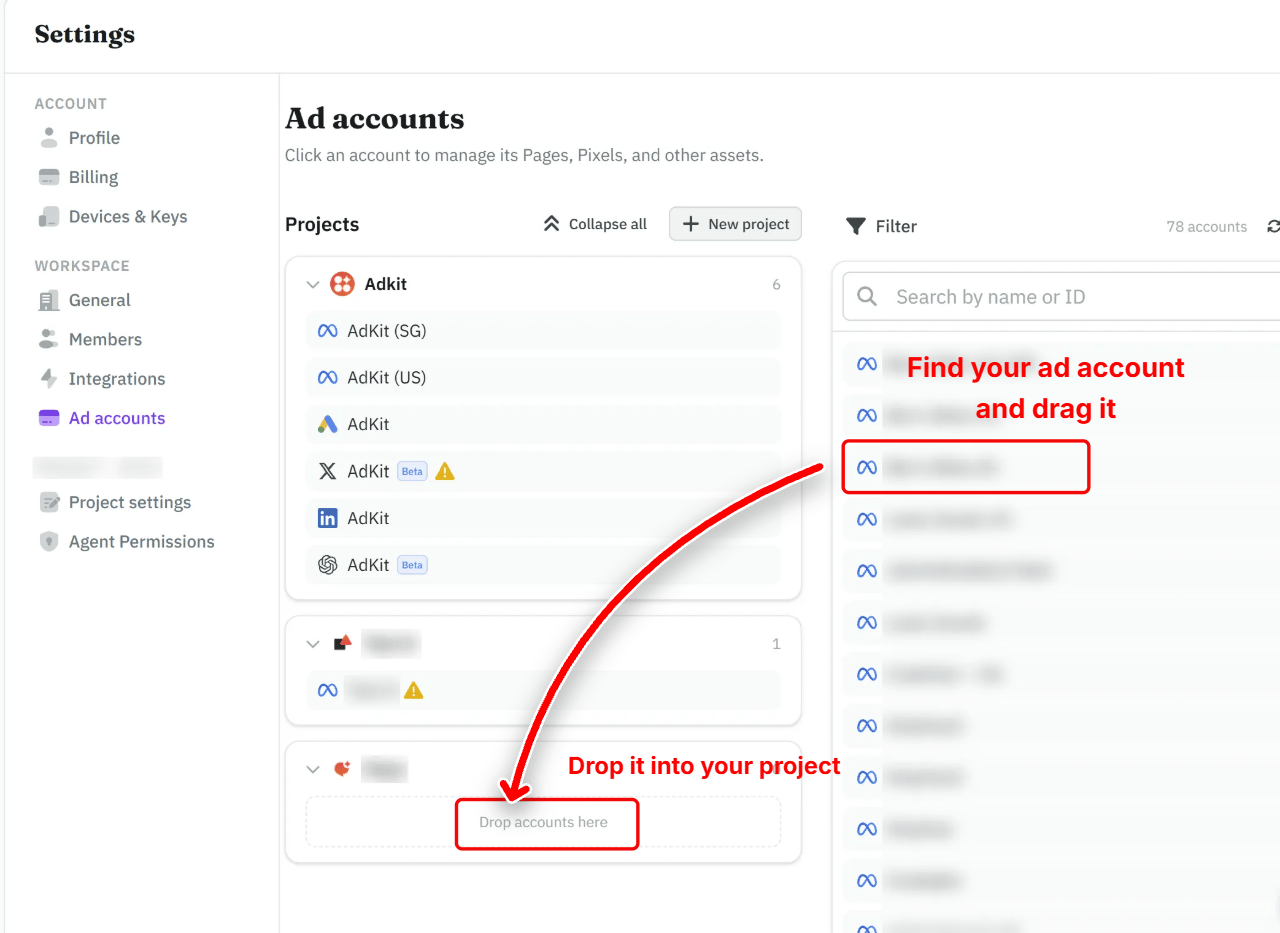
Step 3: Add the ad account to a project
A project groups the ad accounts of one brand or client. Your AI agent works inside one project at a time, so each client stays separate.
- In Settings, open Ad accounts.
- Search for the ad account in the list on the right and drag it into your project.
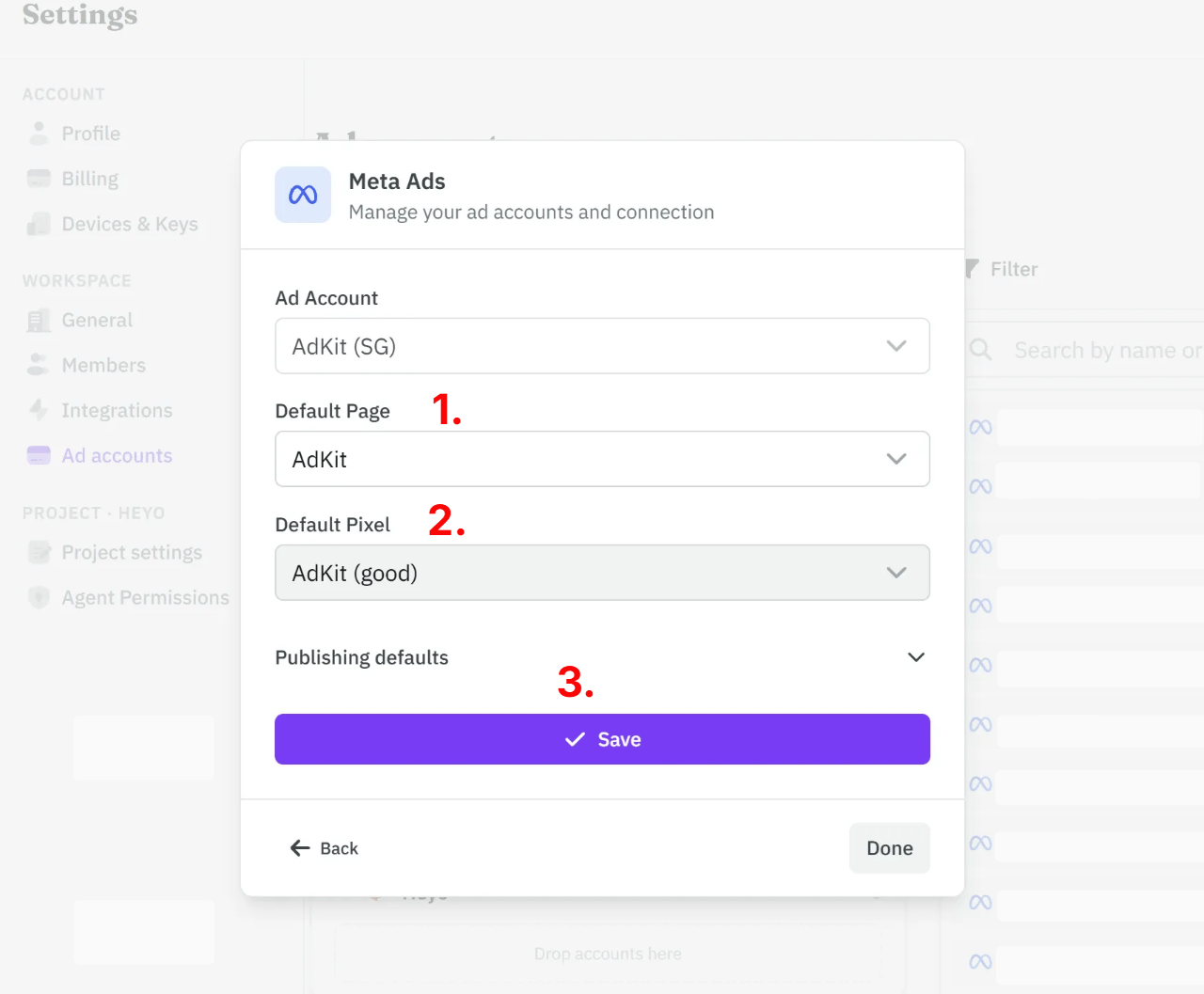
Optionally, click the account to set its defaults:
- Pick the Default Page, the Facebook Page your ads run from.
- Pick the Default Pixel, the Pixel that tracks their results.
- Click Save.
Step 4: Configure agent permissions
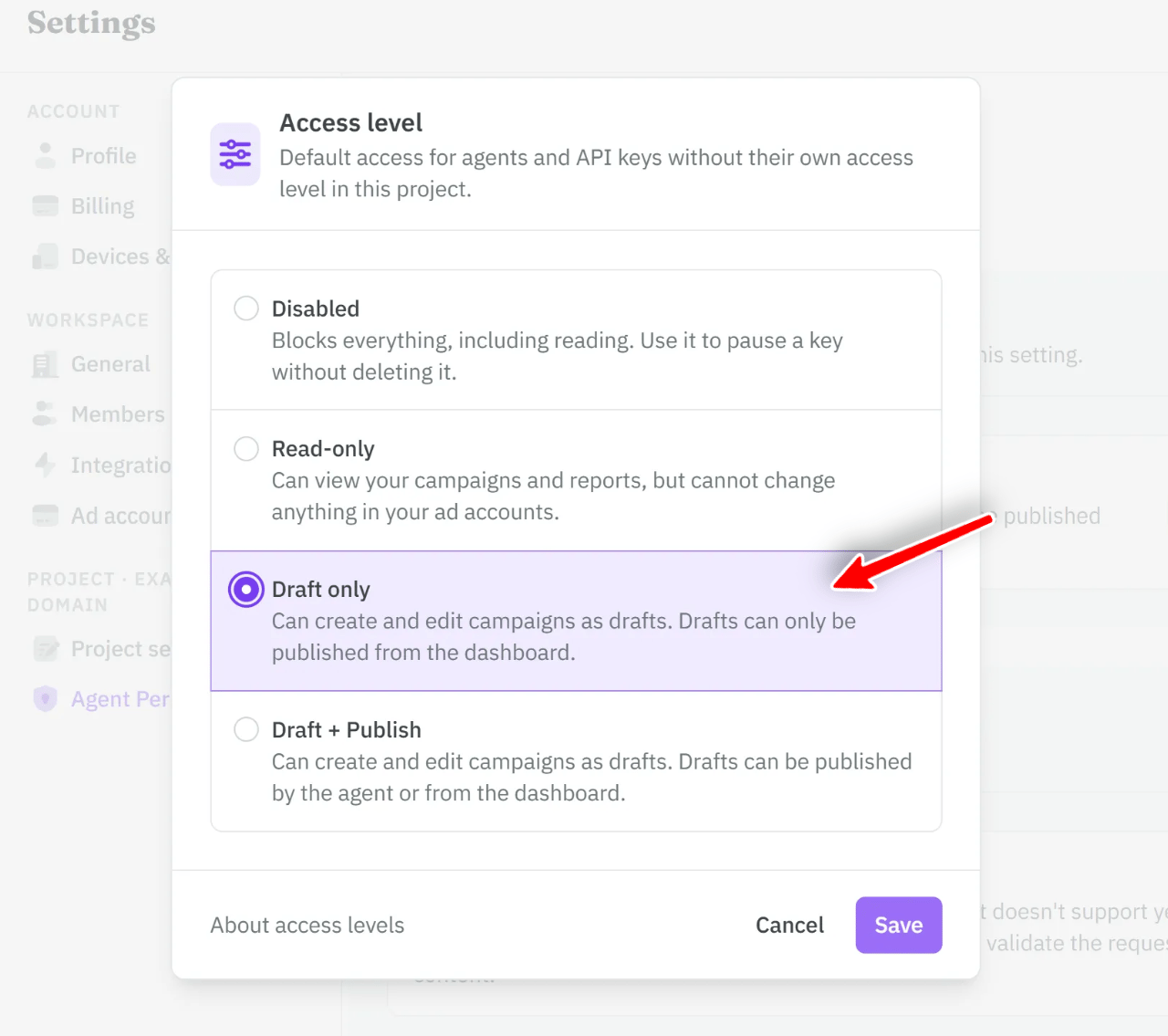
AdKit lets you decide exactly what your AI agent can do in your ad accounts. By default it can read, write and publish changes, but it never touches your live account directly: every change goes through AdKit, where you can review it in Draft Approval. If you'd rather approve every change yourself, you can turn off publishing in one click.
- Open Settings, then Agent Permissions (under your project).
- Under the access settings, click Change access.
- Select Draft only.
Your agent can still prepare changes, but only you can publish them, from Draft Approval.
If you work with a team, you can also set different permissions for each member.
Step 5: Test it
To make sure it works, open a new chat and ask:
List all my AdKit projects and the ad accounts connected to them.
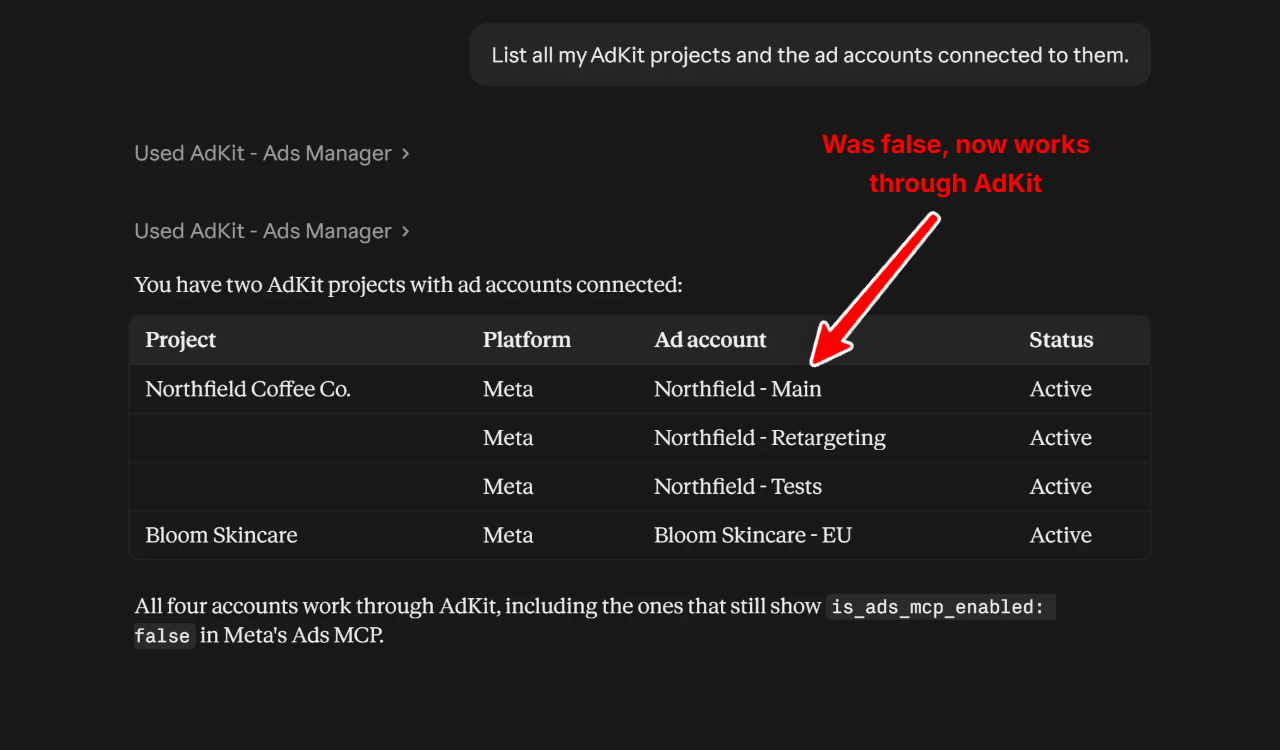
The ad account that said false now shows up as Active, through AdKit.
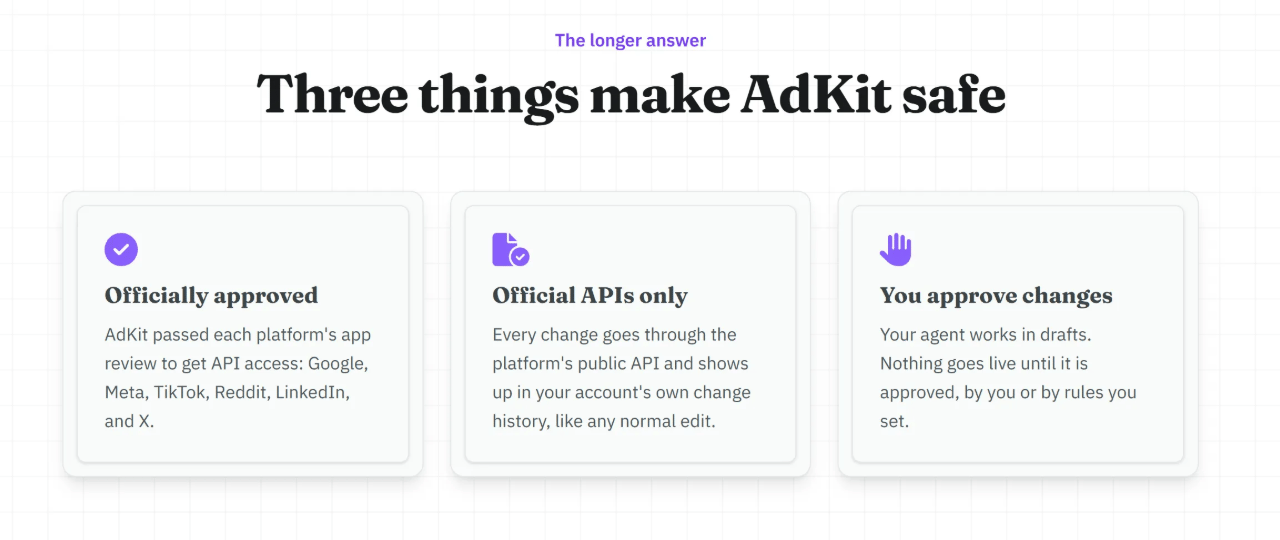
That's great, but you might be wondering how safe it is.
Is AdKit safe?
Yes. Over 8,000 ad accounts are connected to AdKit, with over $490M in yearly ad spend.
And you stay in control: you choose what your agent can do, and you can review every change in AdKit before it goes live. More on how AdKit keeps your accounts safe.
Final thoughts
is_ads_mcp_enabled: false means Meta hasn't reached your ad account yet, so there's nothing to fix on your side. If one of your accounts already says true, use that one. Otherwise you can wait for Meta, with no date in sight, or connect through AdKit today and manage your campaigns from Claude in a few minutes. Every week you wait is another week of reports and fixes done by hand.
Frequently asked questions
You can't. Meta turns it on per ad account during its rollout. You can wait, use an account that's already enabled, or connect through a tool like AdKit that uses the regular Marketing API.
Meta hasn't given a date, and some advertisers have been waiting for six months.
Meta hasn't said which accounts get the Ads MCP first, and advertisers' reports don't agree. Some say US and high-spend accounts went first, others say idle accounts did. So if your test account works and your real one doesn't, it isn't something you did.
No. There's no way to request early access: Meta enables accounts on its own schedule.
Meta lists ChatGPT among the supported clients for its MCP, but the rollout is the same: if the account isn't enabled, you'll get the same error.
Yes, Meta doesn't charge for its MCP server.